
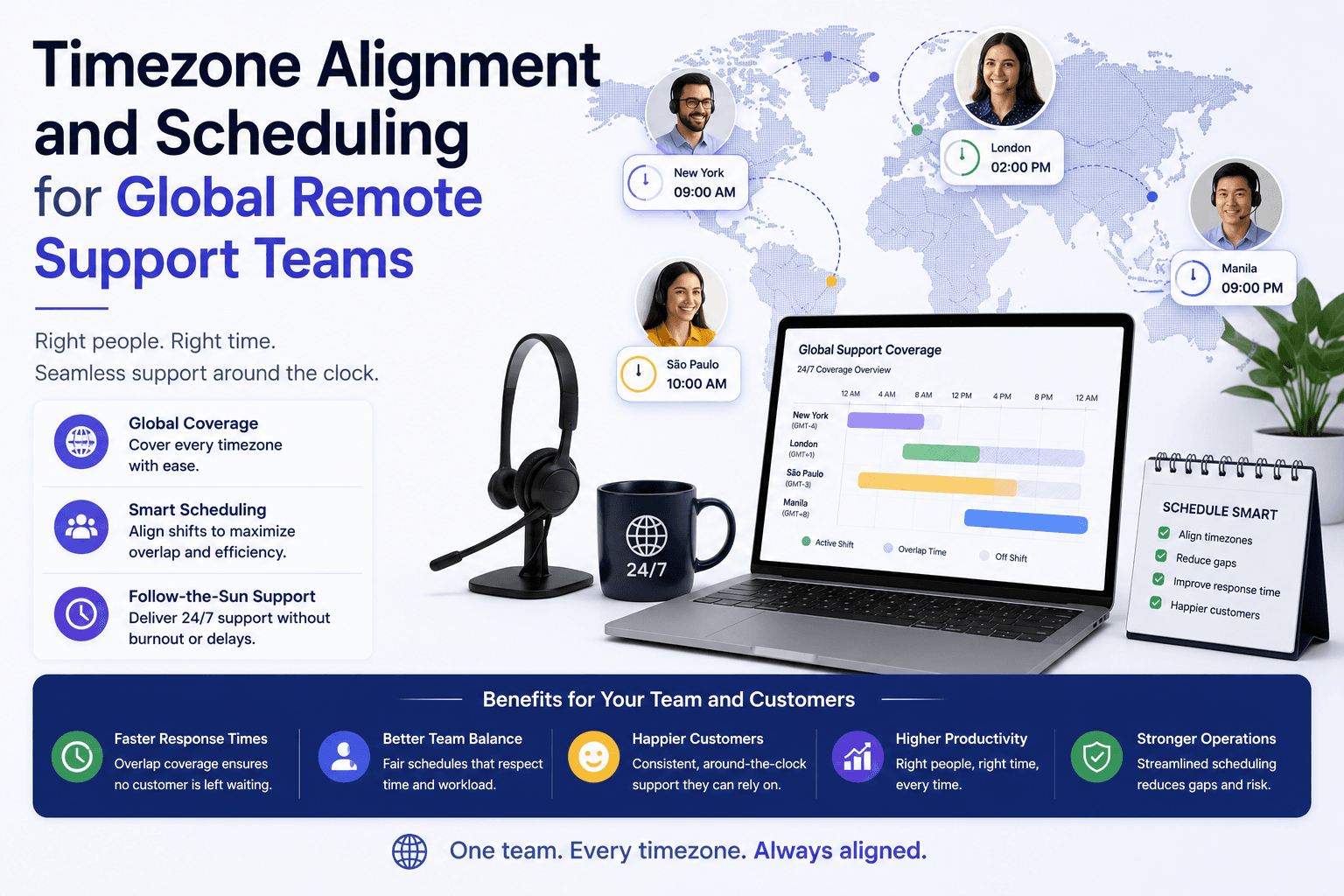
Somewhere around 11pm, a support agent in Manila is closing out a ticket that started with a customer in Ohio. By the time the follow-up question comes back, it’s morning in the US and the agent is asleep. Fourteen hours pass before anyone replies. The customer, understandably, thinks the team has gone quiet. Nobody’s slacking off here. This is just what happens when a business scales across continents without actually planning for the clock.
That’s the honest answer to why timezone alignment matters for global remote support teams: it’s not a nice-to-have, it’s the difference between a support desk that feels responsive and one that feels abandoned. Get the scheduling wrong and you’ll bleed customer trust one delayed reply at a time. Get it right, and a distributed team scattered across Lagos, London, and Los Angeles can actually outperform a single office working nine to five.
Why Do Time Zones Challenge Global Support Teams?
Distance itself isn’t the problem. Plenty of remote teams work fine despite being oceans apart. The problem is when nobody accounts for the hour difference in how work gets planned, and everything downstream starts to wobble.
Communication Delays Slow Ticket Resolution
A question asked at 4pm in Berlin might not get seen until 9am the next day in San Francisco. Multiply that across every back-and-forth in a support thread, and a ticket that should’ve taken twenty minutes to resolve stretches into a three-day saga. Customers don’t care about time zone differences. They care that their problem isn’t fixed. And frankly, this kind of delay is one of the fastest ways to tank a customer satisfaction score, even when the actual support quality is excellent.
Unfair Scheduling Burdens Certain Regions
Here’s something that doesn’t get said enough: in most global teams, someone is always paying the “timezone tax.” Usually it’s whoever sits furthest from US Central Time or wherever headquarters happens to be. Teams in Asia-Pacific or parts of Africa often get stuck with the late evening meetings, week after week, because nobody thought to rotate the inconvenience around. Left unaddressed, this breeds quiet resentment, and quiet resentment is how good support staff quit without warning.
Reduced Real-Time Collaboration Hurts Team Cohesion
When colleagues rarely overlap in real time, something subtle erodes. The banter, the quick “hey can you jump on a call,” the sense of being one team rather than several shifts passing a baton, all of it thins out. Support teams especially rely on shared context, and shared context is hard to build when half the roster is always asleep while the other half works.
How Do You Identify Overlapping Working Hours?
Before fixing anything, you need an honest map of where everyone actually sits on the clock. Sounds obvious. Most companies still skip this step.
Map Each Team Member’s Local Hours
Build a simple timezone profile for every team member, their local time zone, their typical productivity hours, and any personal constraints like school runs or prayer times. This isn’t bureaucracy for its own sake. It’s the raw material every later scheduling decision depends on.
Find the Narrow Overlap Window
Once you’ve got everyone’s hours mapped, look for where they intersect. For most globally distributed teams, that overlap window ends up being somewhere between two and four hours a day. Recommendations from workforce researchers at Remotepass back this up directly, suggesting a tight daily overlap for urgent, real-time alignment while protecting the rest of the day for uninterrupted work. Anything wider than that and you start eating into the deep-focus hours that make remote work worth doing in the first place.
Adjust Overlap as Teams Grow
A three-person team spanning two time zones has it easy. A forty-person team spanning six regions is a different beast entirely. As headcount grows, the overlap window tends to shrink, which means you’ll need firmer rules about who’s expected in that window and who isn’t. Teams built through structured processes, like the kind outlined in this guide to managing time zone differences for remote teams during scale-up hiring, tend to bake this adjustment into their hiring plan from day one rather than scrambling later.
How Should You Set Core Collaboration Hours?
Define a Fixed Daily Overlap Window
Pick a block, say 8am to 10am US Central Time, and declare it sacred. This becomes the window for standups, urgent escalations, and anything that genuinely needs multiple humans awake at once. Outside that window, meetings should be the exception, not the default.
Reserve Remaining Hours for Deep Work
The rest of the day belongs to focused work, not calendar Tetris. This is where async-first culture earns its keep. Peer-reviewed analysis in the Organization Science literature on global virtual team dynamics makes clear that teams relying too heavily on synchronous contact across large temporal gaps see productivity suffer, while those shifting toward async updates hold up much better over time.
Document Core Hours in Team Policy
Write it down. Put it somewhere every new hire sees in week one. A verbal agreement about “core hours” evaporates the moment someone forgets or a new manager reshuffles the calendar. Teams that document this well, similar to the time zone synergy frameworks described for distributed teams in offshore support models, tend to avoid the slow drift back into chaotic scheduling.
How Do You Balance Synchronous and Asynchronous Work?
Reserve Sync Time for Urgent Issues Only
Not every question deserves a meeting. Save live calls for genuine emergencies, escalations, or decisions that truly need back-and-forth debate. Everything else can wait for a written update.
Use Async Updates for Routine Communication
Loom recordings, detailed Slack threads, shared docs, these do the heavy lifting for routine updates. Fast Company’s analysis of asynchronous communication in global teams found that defaulting to async reduces burnout and sharpens focus, largely because people aren’t context-switching every time a notification pings.
Set Response-Time Expectations by Priority
Not everything is equally urgent, so don’t treat it that way. A simple tiered system works better than vague “reply when you can” norms:
- Critical/production down: response within 30 minutes, regardless of local time
- High priority: response within 4 hours during the recipient’s working hours
- Standard requests: response within one business day
- FYI/non-urgent: response within 2-3 business days
This kind of tiering keeps the overlap window from becoming a dumping ground for every question, urgent or not.
How Do You Rotate Meeting Times Fairly?
Alternate Inconvenient Slots Across Regions
If a meeting has to happen outside everyone’s comfortable hours, rotate who takes the hit. One week it’s early mornings for the Americas team, the next it’s late evenings for the APAC team. Research on distributed team management, including work referenced in studies on time zone management in globally distributed teams, strongly recommends this kind of alternating pattern specifically to stop one region from permanently absorbing the inconvenience.
Track Rotation History to Ensure Fairness
A spreadsheet, or better, a shared calendar note, tracking whose turn it was last time. Memory is unreliable and managers genuinely forget. Without a record, the “rotation” quietly becomes permanent for whoever complains least.
Communicate Rotation Rules Transparently
Tell the team how rotation works and why. RW3 CultureWizard’s research found that 79% of employees feel meetings favor one location over others, which tells you plainly that perception of fairness matters just as much as actual fairness. Transparency closes that gap.
Which Tools Help Manage Time Zones Effectively?
The software tools you pick for this matter more than most teams admit. Here’s roughly how the main categories stack up:
| Tool Category | Purpose | Examples |
|---|---|---|
| World clock/converters | Visualise time zones side by side | World Time Buddy, Every Time Zone |
| Scheduling automation | Auto-detect local time zones for invites | Calendly, Clockwise |
| Async documentation | Record and archive updates | Loom, Notion |
| Project management tools | Track deadlines across regions | Asana, ClickUp |
World Clock and Conversion Tools
Timezone converters remove the mental arithmetic that leads to missed calls. World Time Buddy’s world clock feature, in particular, has become something of a default among distributed teams for quickly checking overlap windows before booking anything.
Scheduling Automation Platforms
Modern scheduling tools detect a recipient’s local time zone automatically, which cuts down on the classic “wait, is that your time or mine?” confusion. According to a 2025 guide on essential software tools for managing remote employees across time zones, platforms like Clockwise have become near-standard in companies serious about scheduling meetings fairly.
Async Documentation and Recording Tools
A recorded walkthrough beats a live meeting nobody in APAC could attend. Combined with solid project management software, this keeps distributed teams aligned without demanding everyone log on at the same hour.
How Do You Protect Work-Life Boundaries Across Regions?
Boundaries erode fast when a company operates across timezones without guardrails. If “urgent” pings can land at 2am for someone, and there’s no clear escalation policy separating true emergencies from mild inconvenience, burnout creeps in quietly. The fix isn’t complicated in theory: define what actually counts as urgent, restrict off-hours contact to that narrow category, and give managers explicit permission to protect their team’s evenings. Companies that skip this step tend to see it show up later as unexplained turnover, which, as Stanford research on remote work turnover suggests, is otherwise something remote and hybrid arrangements are genuinely good at reducing.
How Do You Build Cultural Awareness Across Distributed Teams?
Time zone logistics are only half the puzzle. A meeting scheduled at a mutually convenient hour can still fail if nobody’s accounted for how directness, hierarchy, or feedback norms differ across cultures. Teams built through processes that pair scheduling fixes with genuine cultural onboarding, similar to what’s described in guides on cultural and time zone alignment when hiring React developers in Africa, tend to see fewer of the awkward misunderstandings that plague purely logistics-first approaches.
How Do You Onboard New Hires Across Time Zones?
Onboarding a new hire in a distant time zone shouldn’t mean forcing them into a foreign schedule from week one. Pair them with a buddy in their own region where possible, front-load asynchronous training material they can absorb on their own clock, and reserve live sessions for the handful of things that genuinely need real-time explanation. Frameworks addressing this directly, such as those covering addressing timezones and collaboration gaps when hiring remote product managers, tend to produce new hires who feel oriented within days rather than weeks.
Can Nearshoring Reduce Timezone Gaps for Support Teams?
Yes, and this is worth saying plainly rather than dancing around it. Nearshoring, hiring talent in regions with only a one or two hour time difference from headquarters, sidesteps a huge chunk of the scheduling headache entirely. A US company hiring support staff in Latin America, or a UK company hiring across parts of Africa, gets something close to a full working day of overlap without anyone pulling a night shift. It’s not a cure-all, cost and skill availability still factor in, but for support functions specifically, where response time is the whole point, nearshoring solves a problem that clever scheduling can only patch.
What Metrics Show Timezone Alignment Is Working?
Numbers tell you faster than gut feeling whether your scheduling actually works. Average first-response time is the obvious one, if it’s climbing despite headcount staying flat, misaligned time zones are likely the culprit. Meeting attendance rates by region matter too; if one office consistently shows lower attendance, that’s rotation fatigue talking. Employee sentiment scores, specifically questions about schedule fairness, catch the resentment before it turns into resignations. And ticket handoff clarity, measured by how often a ticket bounces between shifts without resolution, tells you whether your async documentation is actually doing its job.
FAQ
What’s a reasonable overlap window for a global support team? Two to four hours daily tends to be enough for urgent alignment without eating into focused work time.
Should every meeting include the whole distributed team? No. Reserve full-team syncs for genuinely cross-regional decisions and let smaller, regionally-aligned groups handle the rest.
How often should rotation schedules change? Weekly or biweekly rotation tends to work better than monthly, since monthly rotations let inconvenience pile up before anyone notices the imbalance.
Conclusion
None of this is glamorous work. Mapping hours, setting rules, rotating who takes the painful 6am call, it’s administrative, unsexy, and easy to postpone. But postponing it is exactly how support teams end up with burnt-out staff in one region and frustrated customers in another. Timezone alignment isn’t a project you finish once. It’s more like maintenance on an old house, ignore it and the cracks show up eventually, usually somewhere expensive.